Data Center Overcooling: How to Detect It and Stop Wasting Energy
Overcooling is one of the most common sources of wasted energy in data centres, and one of the hardest to spot. When cooling systems run harder than they need to, the facility burns electricity without any benefit to the equipment. Server inlet temperatures sit well below ASHRAE’s recommended range, CRAC and CRAH units cycle continuously at maximum output, and the PUE climbs while no one notices because nothing is overheating.
The fix is not complicated. It starts with measuring what is actually happening on the floor, then adjusting the cooling infrastructure to match the real thermal load rather than a worst-case estimate.
Cooling systems running below the ASHRAE recommended range waste energy without benefiting equipment. Learn how to detect and fix this in the overcooling prevention guide.
What Overcooling Looks Like
Overcooling happens when the cooling infrastructure delivers more cold air than the IT load requires. In most cases, this is not a deliberate choice. It is the result of cooling systems that were sized for peak capacity, set points that were configured conservatively during commissioning and never revisited, or airflow leaks that force the cooling plant to compensate.
Common signs include server inlet temperatures consistently below 18 degrees Celsius (the bottom of the ASHRAE A1 recommended range), condensation on cold surfaces or floor tiles, cooling units running at high fan speeds even during low-load periods, and energy bills that do not decrease when IT load drops.
The root cause is almost always the same: the cooling system does not know what the actual thermal demand is. It runs at a fixed output regardless of whether the data centre is at 30% or 90% capacity.
Blanking panels also help eliminate the airflow leaks that force operations teams to overcool. See the full approach to preventing overcooling.
Select the Right Airflow Panels for Your Compact Rack Configuration
-
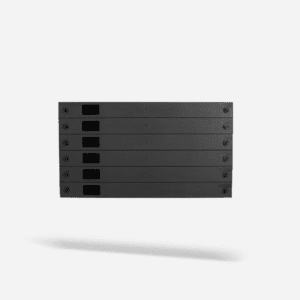
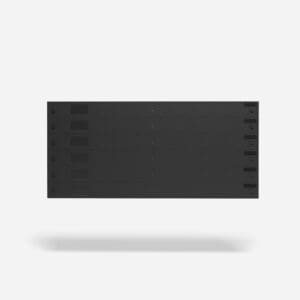
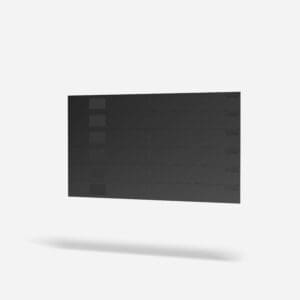
19″ 6RU Universal Blanking Panel
Price range: $186.00 through $200.00 AUD -

21″ 10SU Universal Blanking Panel for ETSI Rack
Price range: $240.00 through $250.00 AUD -
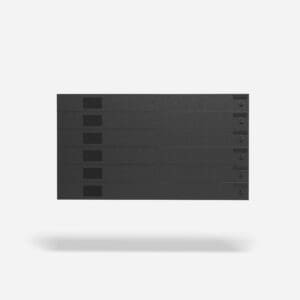
23″ 6RU Universal Blanking Panel
$250.00 AUD -
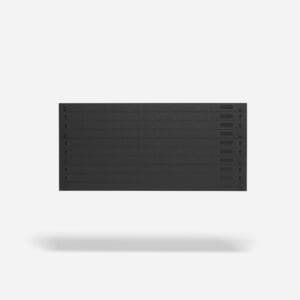
19” 6RU Standard Blanking Panel
Price range: $145.00 through $186.00 AUD -
New 19″ 6RU Universal Blanking Panel
Why Overcooling Costs More Than You Think
Every degree of unnecessary cooling costs money. Running CRAC units at set points 3 to 5 degrees below what the equipment needs increases compressor energy consumption significantly. For a mid-size facility spending $400,000 per year on cooling, overcooling by just a few degrees can add $40,000 to $80,000 in annual energy waste.
Beyond the direct energy cost, overcooling creates secondary problems. Condensation from excessively cold air damages equipment and floor surfaces. Cold aisle temperatures that are too low cause discomfort for technicians working in the space. And the excess cooling capacity being wasted on empty air could instead be reserved for future equipment deployments.
Reducing PUE is a stated goal for most data centre operators. Overcooling is often the easiest PUE win available because it requires no new infrastructure, just better information and adjusted set points.
One of the most common sources of wasted cooling energy is set points that are lower than the equipment needs. The overcooling prevention guide covers how to detect this and raise set points safely.
A significant portion of cooling waste comes from overcooling zones that do not need it. Learn how to stop overcooling and redirect that capacity where it is actually needed.
Step 1: Measure Inlet Temperatures Across the Floor
You cannot fix overcooling without knowing where it is happening. The first step is to measure server inlet temperatures at the top, middle, and bottom of every rack (or a representative sample across each row).
ASHRAE TC 9.9 recommends maintaining server inlet temperatures between 18 and 27 degrees Celsius for A1-class equipment. If your readings consistently fall below 18 degrees, the facility is overcooled in those zones.
For facilities without permanent sensor infrastructure, a handheld infrared thermometer provides enough data for an initial assessment. For ongoing monitoring, EkkoSense real-time thermal monitoring deploys wireless sensors at rack inlets and feeds continuous temperature data to a centralised dashboard. The software flags overcooled zones automatically and recommends set point adjustments.
Step 2: Identify Airflow Leaks That Force Overcooling
In many facilities, overcooling is a compensation strategy. Operations teams set cooling units to low temperatures because they know hot spots exist elsewhere on the floor. The only way to cool the hot racks is to overcool everything else.
The real fix is to eliminate the airflow problems that create the hot spots in the first place:
Open rack spaces allow hot exhaust air to recirculate into the cold aisle, creating localised hot spots that the cooling system tries to offset by lowering set points. Blanking panels for server racks seal these gaps and eliminate the recirculation that drives overcooling.
Missing or incomplete aisle containment allows hot and cold air to mix freely, making it impossible for the cooling system to maintain consistent temperatures without running at maximum output. Aisle containment solutions separate the airstreams and allow cooling units to run at higher, more efficient set points.
Unsealed cable cutouts, damaged floor tiles, and misplaced perforated tiles leak cold air out of the underfloor plenum before it reaches the racks, reducing delivered cooling and forcing the system to produce more than it should need to. Use the airflow audit checklist to identify and document these leaks.
Step 3: Raise Cooling Set Points Gradually
Once airflow leaks are sealed and hot spots are resolved, the cooling system can operate at higher set points without risk. This is where the energy savings materialise.
Raise CRAC/CRAH supply air temperatures in small increments (1 to 2 degrees at a time) and monitor inlet temperatures for 24 to 48 hours after each change. The goal is to bring server inlet temperatures into the middle of the ASHRAE recommended range (20 to 24 degrees) rather than sitting at the bottom or below it.
Each degree of increase reduces compressor workload and lowers cooling energy consumption. For most facilities, raising set points by 3 to 5 degrees after proper airflow management is installed produces a measurable PUE improvement within the first billing cycle.
Step 4: Monitor Continuously
Overcooling creeps back. New equipment is added, blanking panels are removed during maintenance and not replaced, containment doors are left open. Without ongoing monitoring, set points drift back to conservative levels within months.
Continuous thermal monitoring through EkkoSense or a similar platform catches these regressions before they become costly. The software alerts operations teams when inlet temperatures drop below the target range or when hot spots re-emerge, allowing corrections before the cooling system starts compensating again.
The Business Case for Fixing Overcooling
Overcooling prevention is one of the few data centre improvements that pays for itself quickly and repeatedly. The investment is a combination of airflow management products (blanking panels, containment, grommets) and monitoring software. The return is reduced cooling energy consumption, improved PUE, and recovered cooling capacity that can support future growth.
To calculate your cooling savings from blanking panel deployment and airflow management improvements, use the ROI calculator.
For help planning an overcooling reduction project in your facility, contact the EziBlank team.